Desktop software for AV and IT teams

Software built for the way you work.

Purpose-built desktop software for media automation, purchasing and AV/IT operations. Practical tools designed around real-world workflows, with simplicity and control at their core.

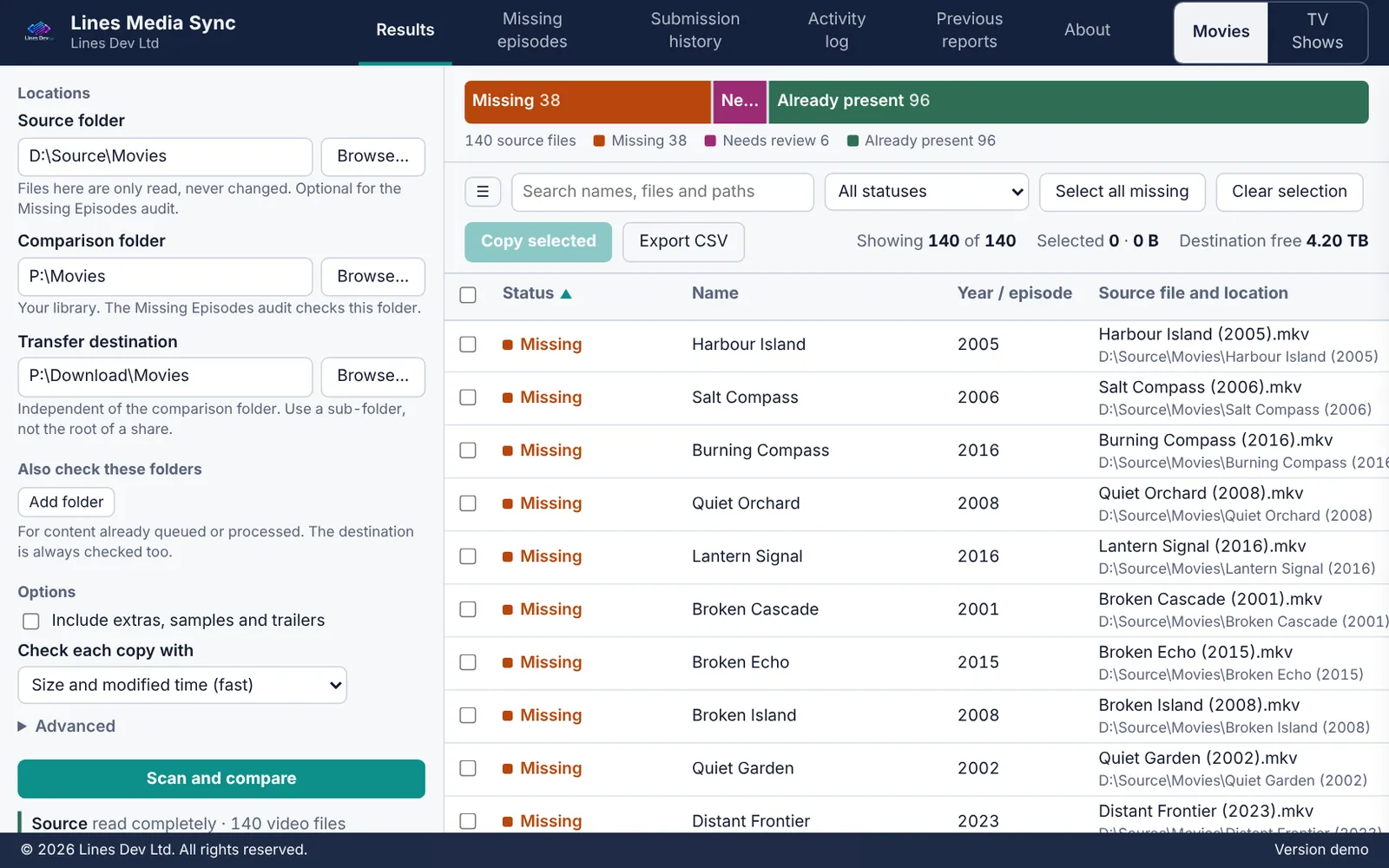
Lines Media Sync results list showing titles marked Missing, Already present or Needs review
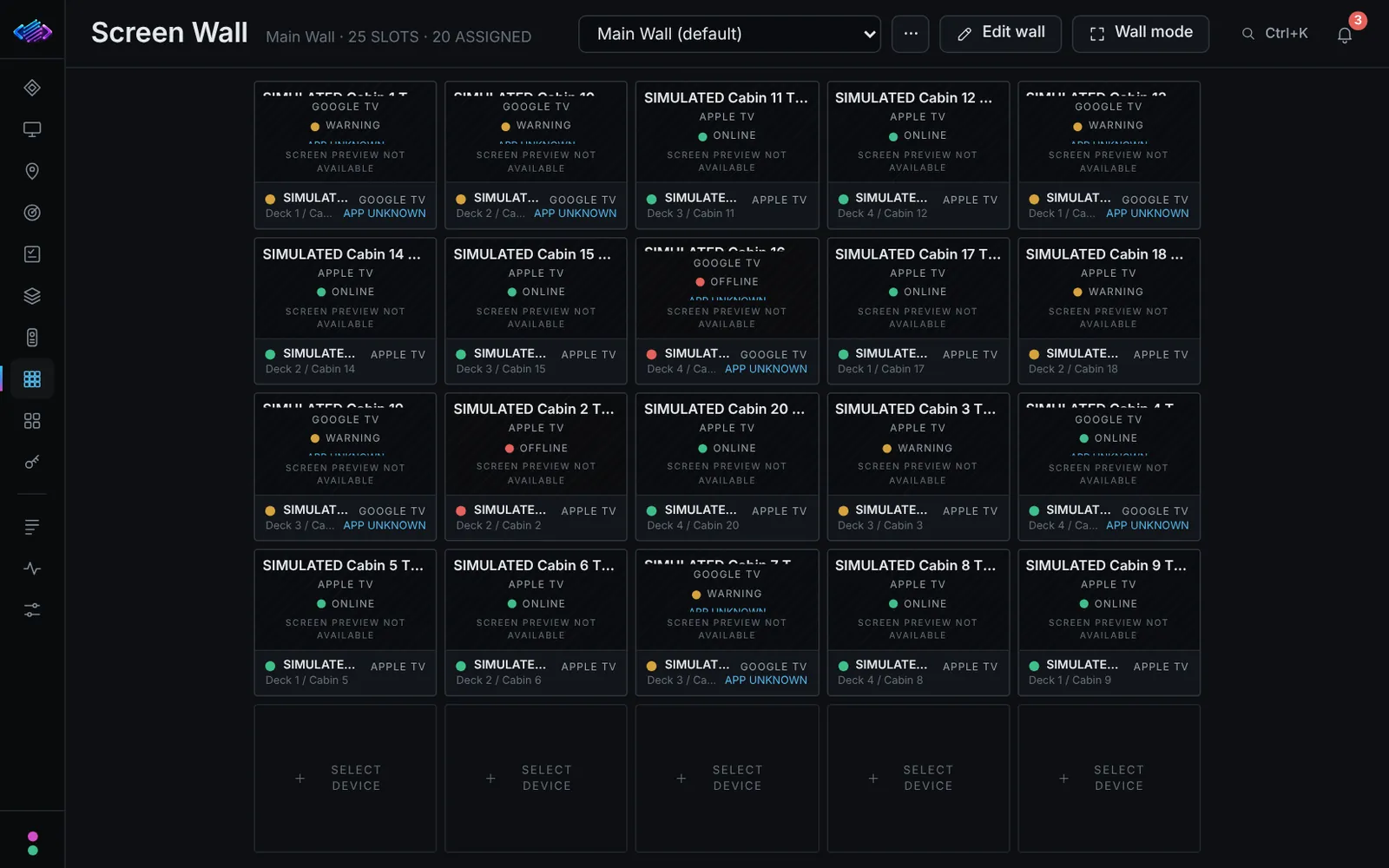
Streaming Device Fleet Controller screen wall of device tiles
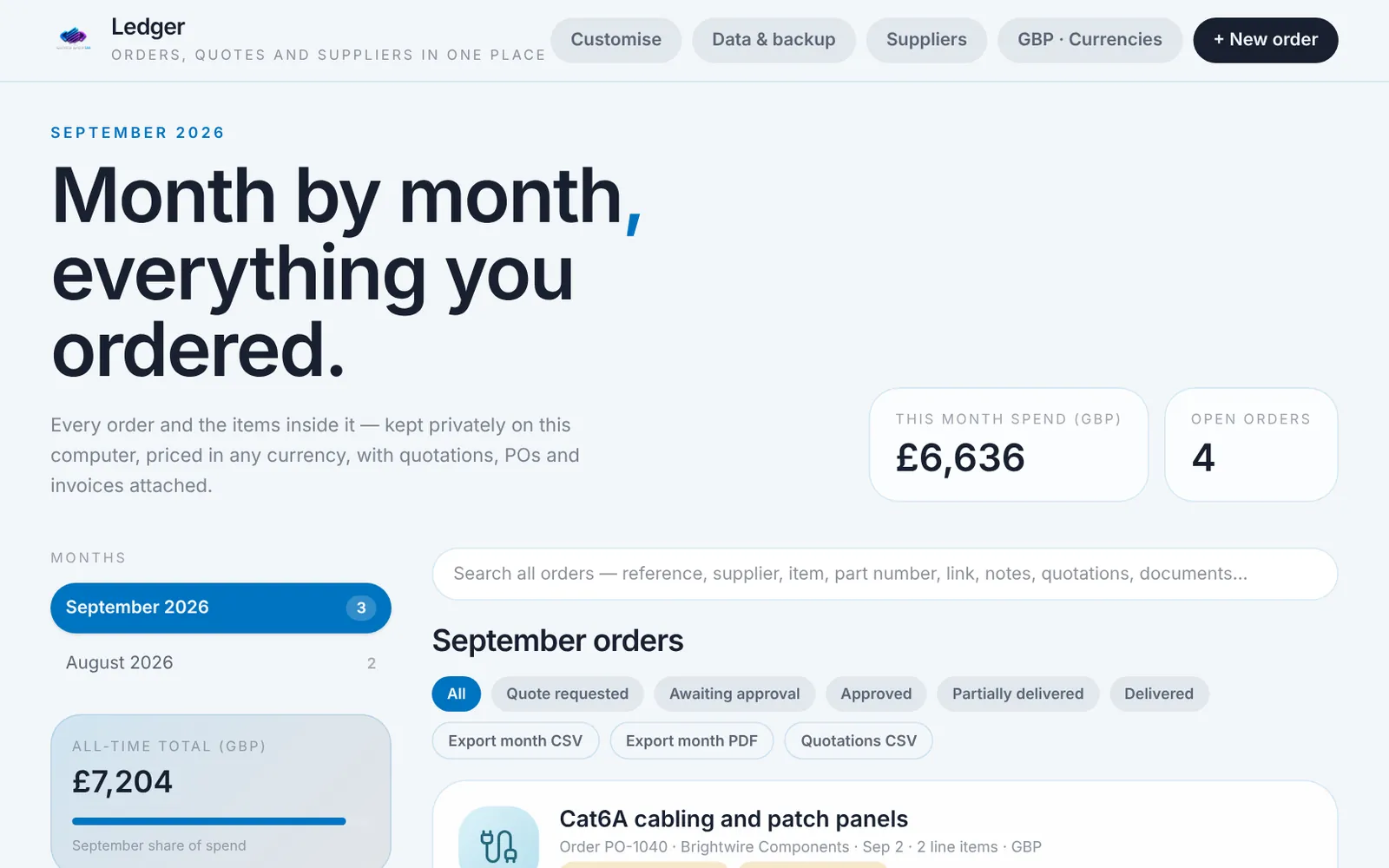
Ledger orders list for September, with spend, open orders and quote status on each order
Screenshots of the real applications, captured with made-up demo data. The products are still in development or testing.
  • Windows desktop applications for specialist workflows
  • Designed by someone who works in AV and IT operations
  • Three products, currently in development and testing
Scroll

Software

A family of focused desktop tools

Each product solves one operational problem well. They share the same approach: a clear interface, careful defaults and your own data kept on your own equipment.

Availability: none of these products have been released yet. In development means it is being built. In testing means it is built and being checked.

Media automation

In development

Lines Media Sync

Compares a source drive with your existing media library and copies only the movies and TV shows you are missing into the right download folder, ready for your existing Tdarr, FileBot and Plex workflow.

  • Less manual checkingSee exactly what is missing instead of comparing folders by hand. Remakes and ambiguous matches are flagged for review, not guessed.
  • A careful, consistent importFiles are staged away from your watched folder, checked, then moved in without overwriting anything.
  • No repeat importsA permanent history stops the same title being copied twice.
Platform
Windows desktop application
Hands over to
Your existing Tdarr, FileBot and Plex pipeline
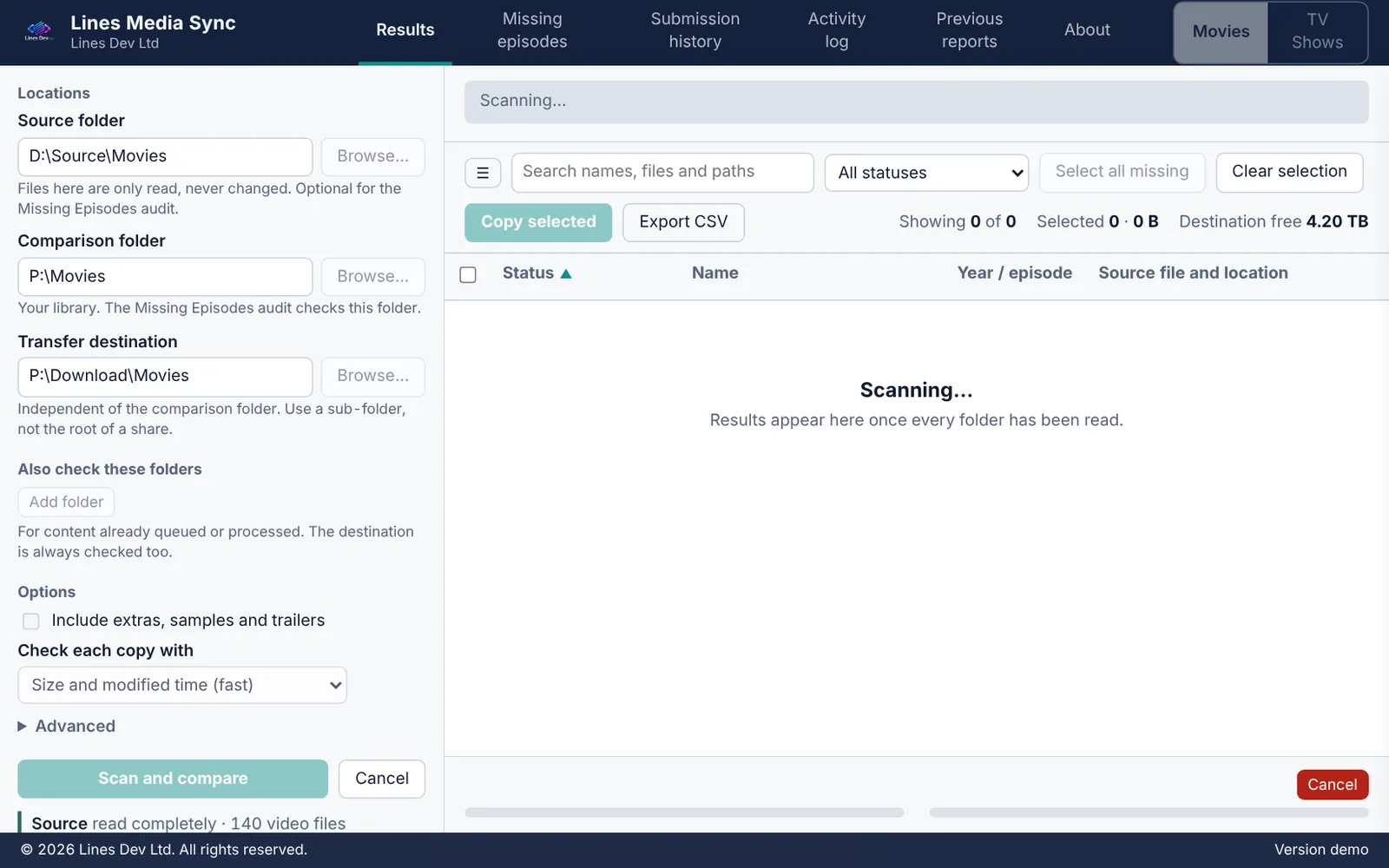
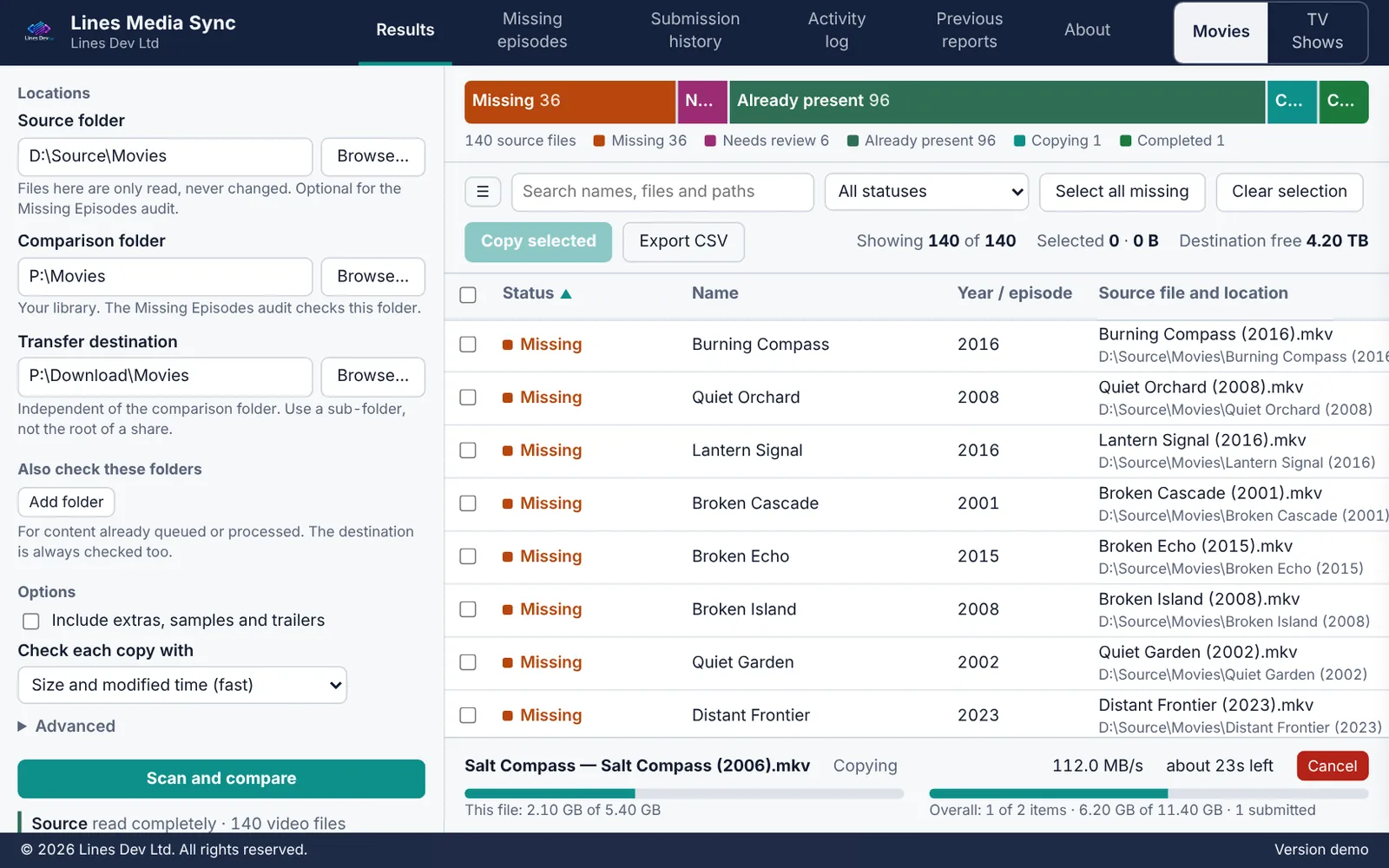
Lines Media Sync scanning a source folder and comparing it with the library Lines Media Sync results list showing titles marked Missing, Already present or Needs review Lines Media Sync copying the selected titles, with progress shown at the bottom

Reads both folders and compares the titles.Flags what is missing, already present, or needs review.Copies the files you choose to staging, ready for your existing pipeline.

Screenshots of the real application, not a recording. Titles and figures are made-up demo data.

How it fits your setup

Source drive Lines Media Sync Download folder
Your existing pipeline Tdarr FileBot Plex

Lines Media Sync prepares and hands over the files. Your pipeline carries on as it does today, and the app does not monitor it.
Purchasing and order management

In development

Ledger

A purchasing ledger for any team that buys equipment. It organises orders, quotations, suppliers and purchasing records in one standalone Windows application, with no web server to run and room for your own name and logo.

  • Orders you can traceSuppliers, quotations and attached documents stay with each order, so you can see how every purchase was decided.
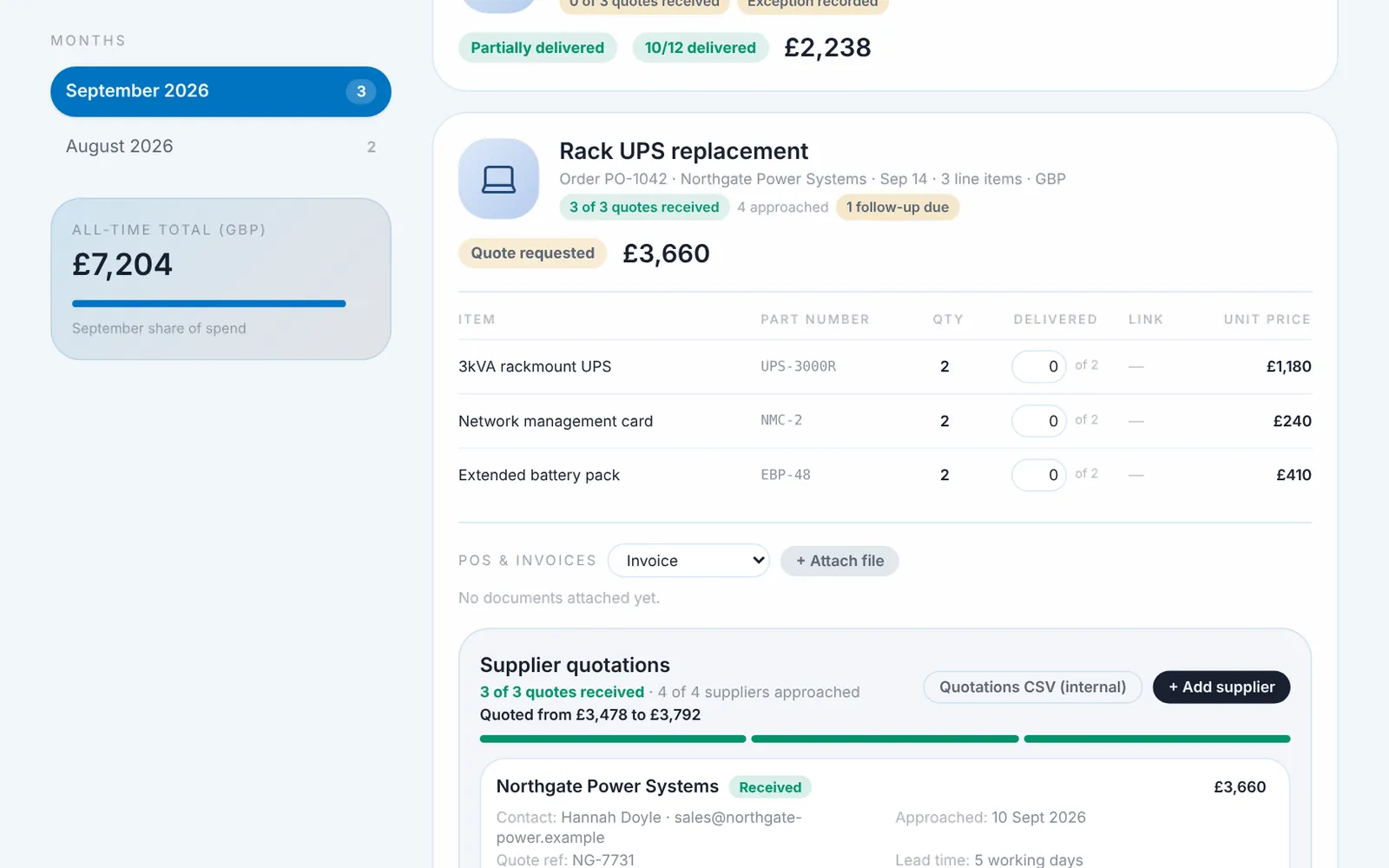
  • The three-quote rule, built inSee at a glance whether an order has the three quotes it needs. Approving with fewer needs a recorded reason.
  • Records when you need themExport monthly ledgers as PDF or CSV, and produce a quote request to send to suppliers.
Platform
Windows desktop application
Setup
Standalone program, no web server or browser needed
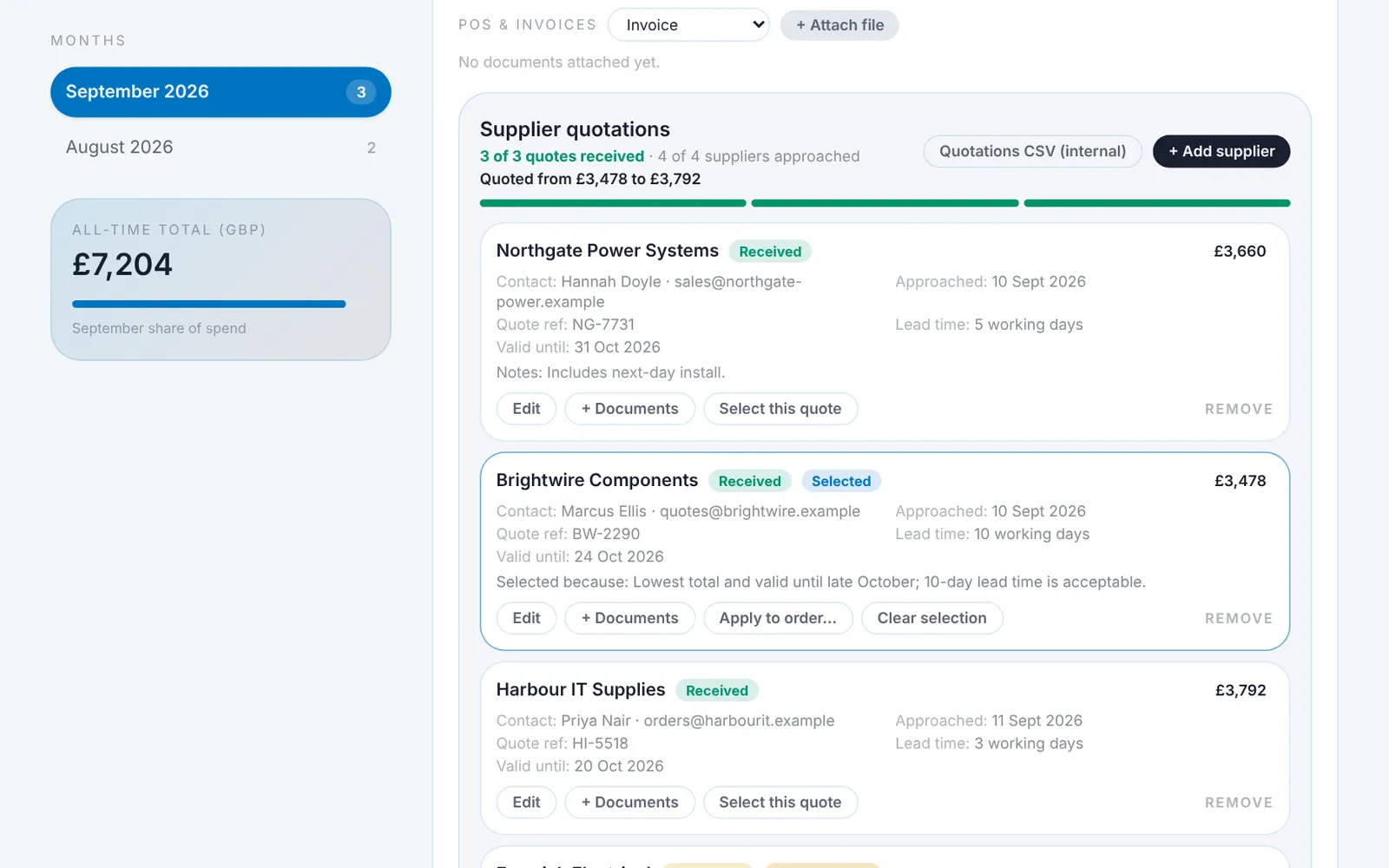
Ledger orders list for September, with spend, open orders and quote status on each order Ledger order record showing line items, documents and supplier quotations Ledger supplier quotations with one quote selected and a comparison of received quotes

Every order, with its quote status at a glance.Open an order to see its items and supplier quotations.Compare the received quotes, select one and record the reason.

Screenshots of the real application, not a recording. Suppliers, orders and amounts are made-up demo data.

The quotation workflow

  1. RequestAdd the suppliers you have approached.
  2. CompareEnter or attach each quote and compare them side by side.
  3. ApproveSelect a quote, or record why fewer than three were used.

Device management

In testing

Streaming Device Fleet Controller

Being developed to help operators manage multiple Apple TV 4K and Google TV devices from one interface, with a Screen Wall for checking a whole site at a glance.

  • One interface for mixed devicesApple TV 4K and Google TV units are managed from the same screen, with the same remote and keyboard controls.
  • A Screen Wall for supervisionA 5 × 5 grid shows each device's name, location and status, so a device that needs attention stands out.
  • Organised for larger sitesGroup devices by location, track health and last-seen times, and keep a record of changes.

Built and tested with simulated devices

  • Remote and keyboard control
  • Screen Wall with saved layouts
  • Locations, groups and health tracking
  • Backup and restore

Still in progress

  • Verification on real Apple TV and Google TV hardware
  • Live screen viewing. The wall shows status only for now.
Platform
Windows, runs locally on your own network
Devices
Apple TV 4K, Google TV
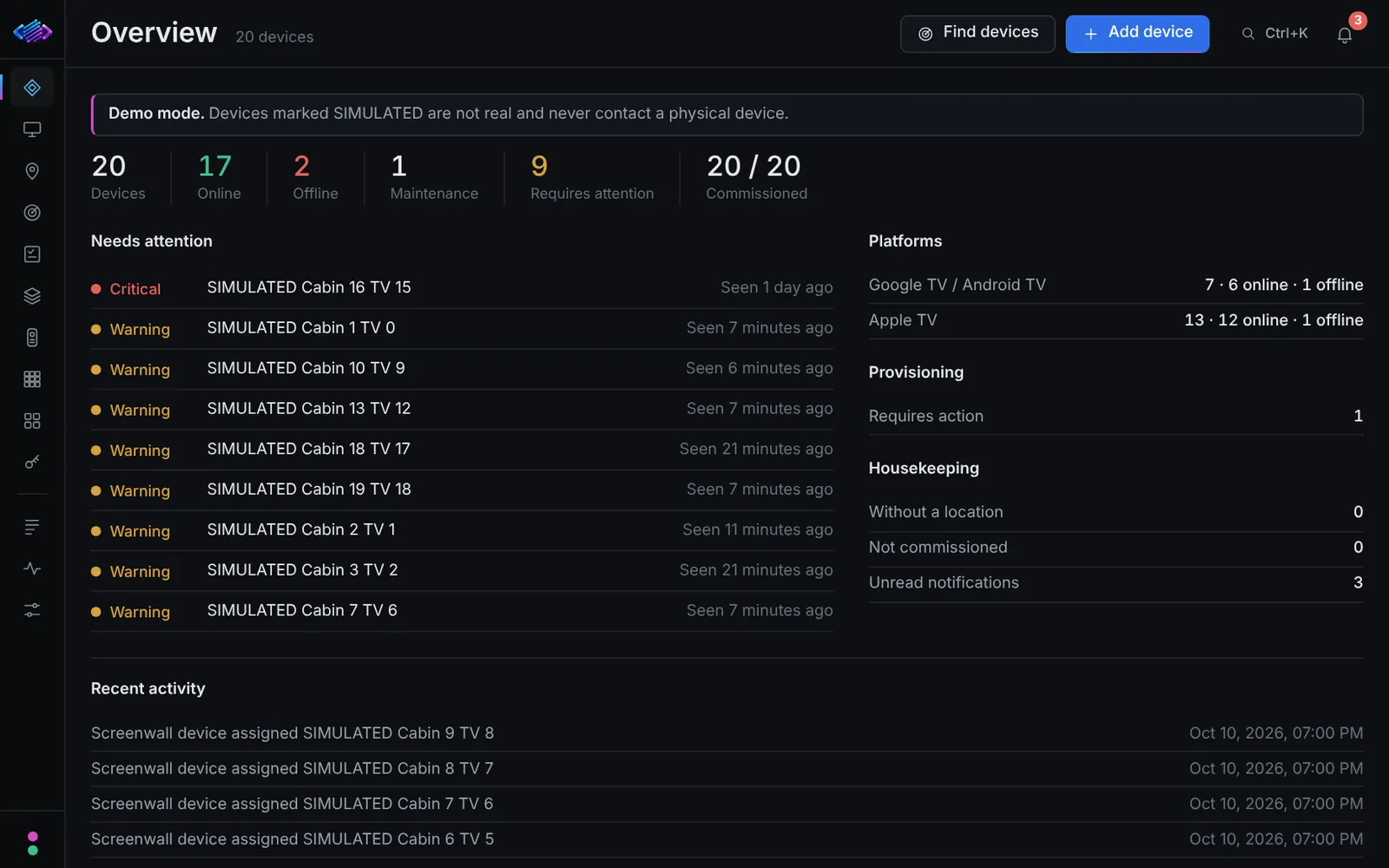
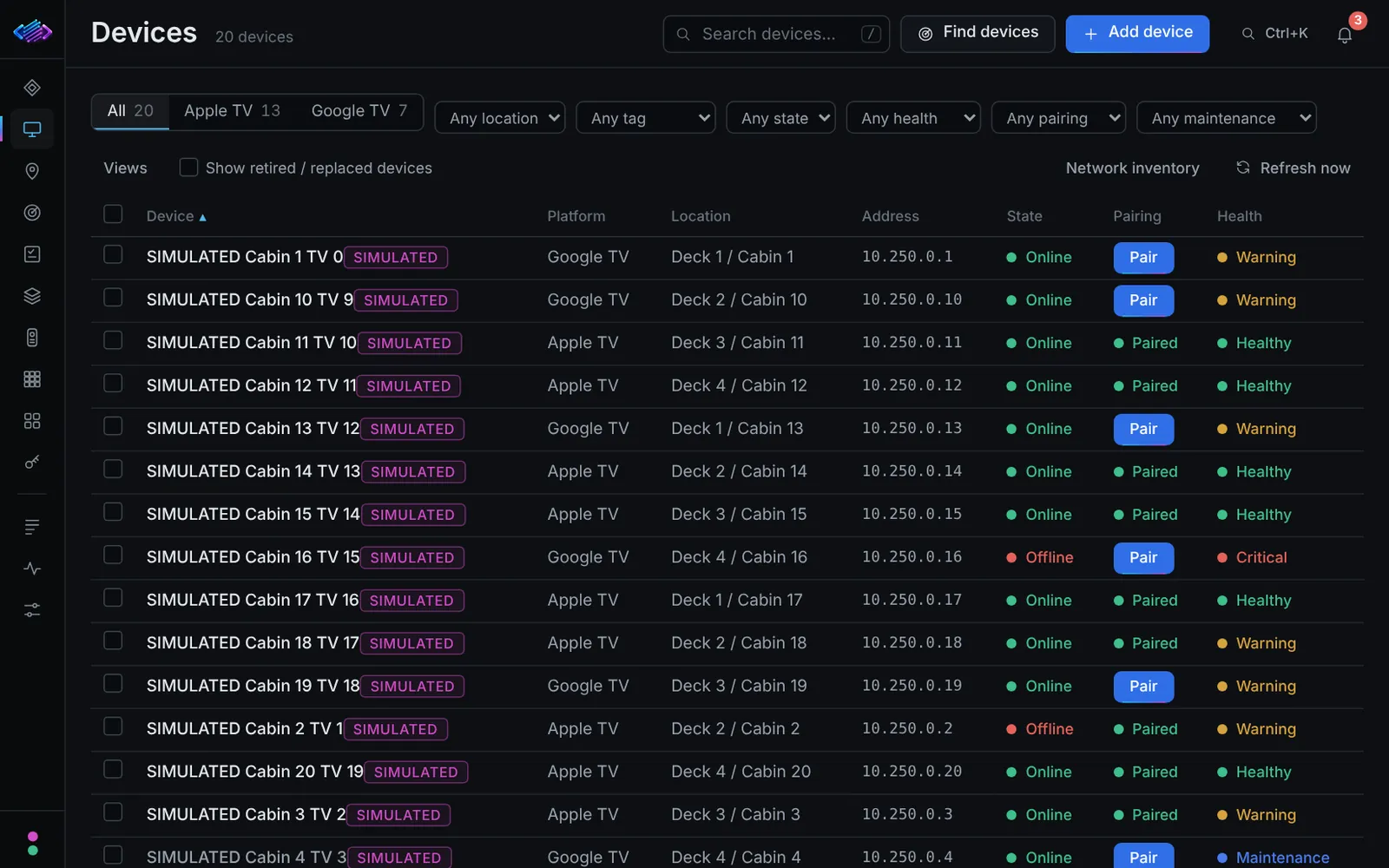
Streaming Device Fleet Controller overview showing device counts and items needing attention Streaming Device Fleet Controller device list with state, pairing and health Streaming Device Fleet Controller screen wall of device tiles

Device counts and what needs attention, at a glance.Every device with its state, pairing and health.A screen wall of device tiles that you can edit.

Screenshots of the real application running in its demo mode, not a recording. Every device shown is simulated and none is a real TV.

Why Lines Dev

Software shaped by real AV and IT work.

Lines Dev Ltd builds specialist software products for the day-to-day problems of AV and IT operations. The tools are designed by someone who works with these systems.

  • Built around real workflows

    Each tool starts with a practical operational problem and the way people already work around it.

  • Straightforward to use

    Interfaces put clarity ahead of unnecessary complexity, so the next person to pick a tool up can find their way.

  • Local-first where appropriate

    Products run on your own equipment and keep your data there. Where a feature needs an internet connection, that is made clear.

  • Designed for handover

    Software that is practical to install, operate and maintain, with clear instructions for whoever takes it over.

Our approach

From a real problem to usable software.

Every product follows the same five steps.

  1. Understand the problem

    Start with the operational task and where it goes wrong today.

  2. Design a clear workflow

    Shape a practical sequence of steps that suits the people doing the work.

  3. Build and test

    Develop the solution and check it against realistic situations, including failures.

  4. Refine the detail

    Improve the interface and reliability until the workflow feels dependable.

  5. Deliver with instructions

    Provide usable software with clear instructions for installing and running it.

Custom software

Have a workflow worth improving?

Tell us what you are trying to achieve. We are interested in practical software solutions to real operational challenges.

Discuss your requirements
  • Media library management and automation
  • Purchasing, quotations and order tracking
  • Management of multiple streaming devices
  • Specialist AV/IT workflows and dashboards

Contact

Start a conversation.

Tell us about the workflow, the equipment involved and the result you want. If your enquiry is about one of the products above, name it.

  • What you are trying to achieve, and what makes it difficult today
  • The equipment and software involved
  • Which product, if any, you are asking about

Email Lines Dev Ltd

Our enquiry email address is being set up and will appear here. Please check back soon.